
Ukoke1.0.24 - App Store
You'll be able to see results in few seconds.
Publisher Description
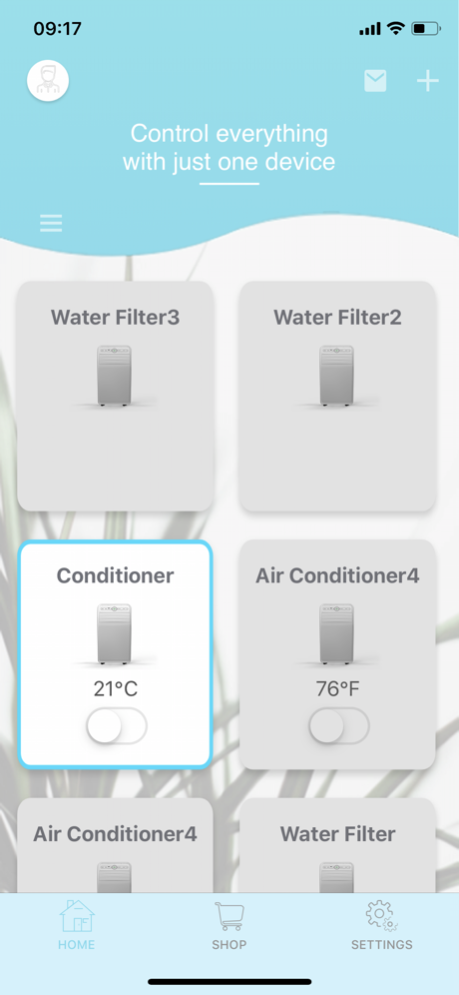
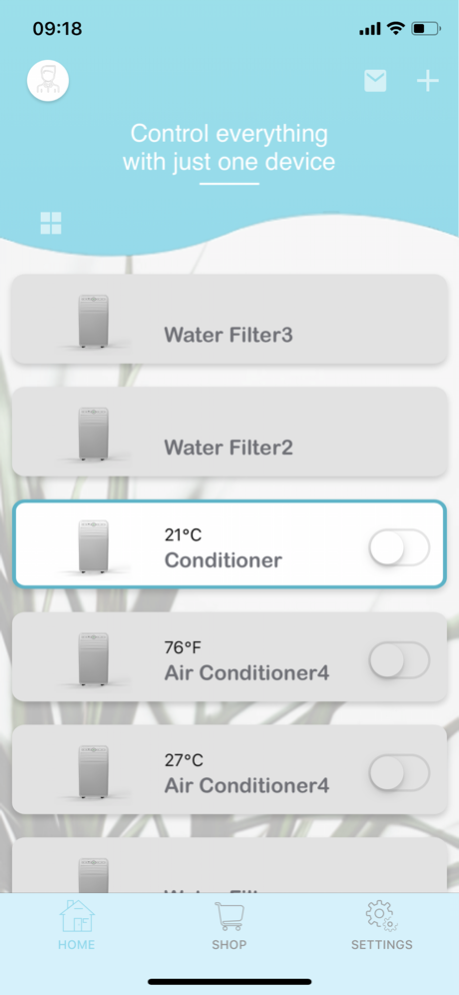
With Ukoke Smart App, you can manage all your Ukoke Smart IoT devices.
Enjoy the Simplicity!
• Add new Ukoke smart devices with a few easy steps
• Control your device whenever & wherever
• Get the real time status of your Ukoke smart devices
• Easily share your devices with your families
• Set up and perform the intelligent tasks
• Be notified from your Ukoke smart devices
Devices:
• Ukoke Smart portable air conditioner
• Ukoke Smart Reverse Osmosis Water Filtration System
Ukoke Smart portable air conditioner
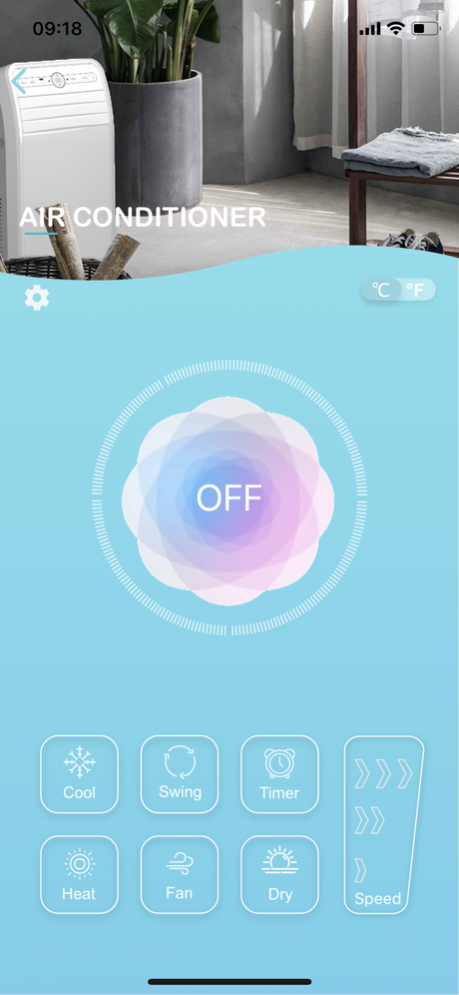
• Turn on/off your Ukoke Smart portable air conditioner
• Switch AC modes (Cool/Heat/ECO/DRY)
• You can change the temperature with your smart phone, from as far as anywhere in the world or as close as at home
• Adjust fan speed and swing modes remotely
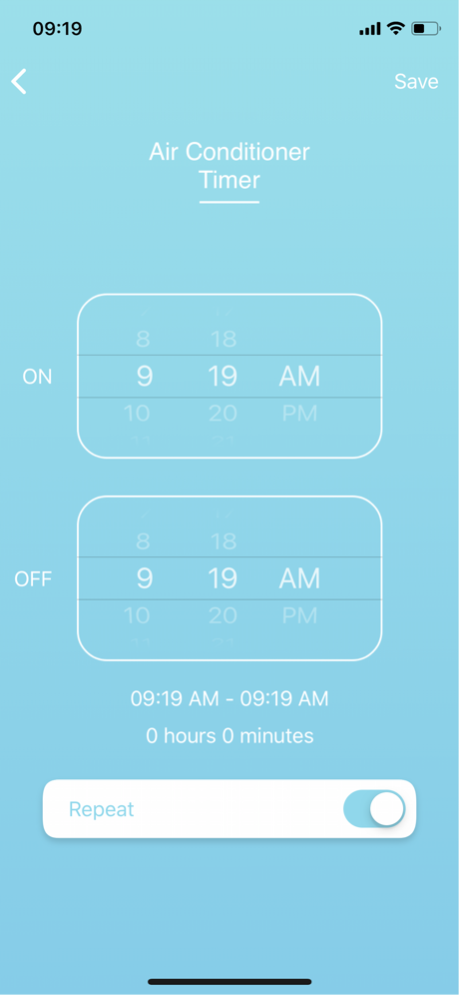
• Schedule your Ukoke Smart portable air conditioner with AUTO ON/OFF timer function
• Check your room temperature in real time
Ukoke Smart Reverse Osmosis Water Filtration System
• Turn on / off your Ukoke Smart Reverse Osmosis Water Filtration System
• You can full fill a tank with drinking water by using Ukoke app, from as far as anywhere in the world or as close as at home
• Flush and refresh the whole RO system by this app
• You can view your drinking water status in real time
• You can view service life of each filters
• Be notified for water filter replacement
Most features require a working internet connection, Wi-Fi and/or Bluetooth.
Jul 3, 2023
Version 1.0.24
1. Optimize user interaction experience
About Ukoke
The company that develops Ukoke is Ukoke Tech. The latest version released by its developer is 1.0.24.
To install Ukoke on your iOS device, just click the green Continue To App button above to start the installation process. The app is listed on our website since 2023-07-03 and was downloaded 0 times. We have already checked if the download link is safe, however for your own protection we recommend that you scan the downloaded app with your antivirus. Your antivirus may detect the Ukoke as malware if the download link is broken.
How to install Ukoke on your iOS device:
- Click on the Continue To App button on our website. This will redirect you to the App Store.
- Once the Ukoke is shown in the iTunes listing of your iOS device, you can start its download and installation. Tap on the GET button to the right of the app to start downloading it.
- If you are not logged-in the iOS appstore app, you'll be prompted for your your Apple ID and/or password.
- After Ukoke is downloaded, you'll see an INSTALL button to the right. Tap on it to start the actual installation of the iOS app.
- Once installation is finished you can tap on the OPEN button to start it. Its icon will also be added to your device home screen.
Program Details
System requirements
Download information
Pricing
Version History
version 1.0.24
posted on 2023-07-03
Jul 3, 2023
Version 1.0.24
1. Optimize user interaction experience
version 1.0.23
posted on 2023-06-20
Jun 20, 2023
Version 1.0.23
1.Add a new network configuration method to connect devices
2.Fixed some known bugs
version 1.0.21
posted on 2023-06-12
Jun 12, 2023
Version 1.0.21
1.Add a new network configuration method to connect devices
2.Fixed some known bugs
version 1.0.20
posted on 2023-06-07
Jun 7, 2023
Version 1.0.20
1.Add a new network configuration method to connect devices
2.Fixed some known bugs
version 1.0.18
posted on 2020-08-24
Aug 24, 2020 Version 1.0.18
1.Modify push domain name
Disclaimer
Official App Store Link
We do not host Ukoke on our servers. We did not scan it for viruses, adware, spyware or other type of malware. This app is hosted by Apple and passed their terms and conditions to be listed there. We recommend caution when installing it.
The App Store link for Ukoke is provided to you by apps112.com without any warranties, representations or guarantees of any kind, so access it at your own risk.
If you have questions regarding this particular app contact the publisher directly. For questions about the functionalities of apps112.com contact us.
